

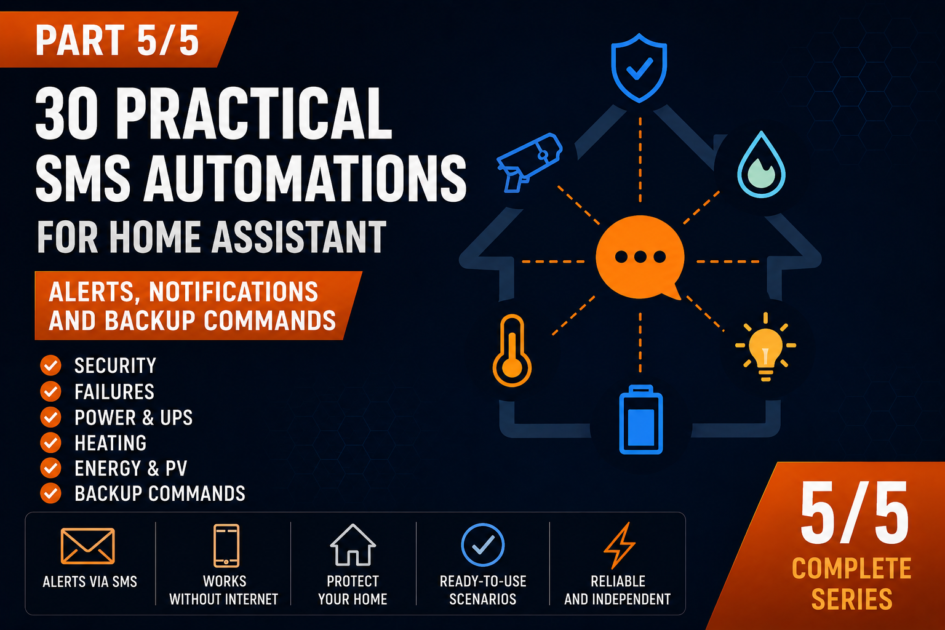

We’ve reached the final part of the series. An emergency SMS modem gateway, optionally tested on Proxmox, the integration set up in Home Assistant, SMS commands working both ways. Time for the practical part: 30 ready-made automations you can copy, adapt to your own entities, and deploy today.
⚠️ Before you copy everything at once
SMS makes sense for failures and backup commands. Don’t route everything through SMS, you’ll quickly start ignoring it like spam. Push notifications and the HA app stay your everyday channel, SMS is only for situations where everything else has failed or the matter is genuinely urgent. All of the automations below require the GSM Modem integration installed, if you don’t have it yet, check out part three of the series. Some of the commands (26-30) can also be built faster with ready-made blueprints described in part four.
For every automation, swap:
📞
+1XXXXXXXXXX for your own number,🏷️
entity_id for your own entities,🔤 command event names for the words you set in your integration options.
📷 [SCREENSHOT: a sample automation in the Home Assistant editor, YAML view]
A. Security
1. Alarm triggered
alias: "HOME - alarm triggered SMS"
mode: single
trigger:
  - platform: state
    entity_id: alarm_control_panel.home
    to: "triggered"
action:
  - action: gsm_modem.send_sms
    data:
      number: "+1XXXXXXXXXX"
      message: "HOME ALARM: triggered {{ now().strftime('%H:%M') }}"
2. Door open while away
alias: "HOME - front door open while away"
mode: single
trigger:
  - platform: state
    entity_id: binary_sensor.front_door
    to: "on"
    for:
      minutes: 2
condition:
  - condition: state
    entity_id: person.john
    state: not_home
action:
  - action: gsm_modem.send_sms
    data:
      number: "+1XXXXXXXXXX"
      message: "HOME: Front door open. Nobody's home."
3. Garage door open too long
alias: "HOME - garage door open too long"
mode: single
trigger:
  - platform: state
    entity_id: cover.garage_door
    to: "open"
    for:
      minutes: 10
action:
  - action: gsm_modem.send_sms
    data:
      number: "+1XXXXXXXXXX"
      message: "HOME: Garage door open for 10 minutes."
4. Gate open at night
alias: "HOME - gate open at night"
mode: single
trigger:
  - platform: state
    entity_id: binary_sensor.gate
    to: "on"
condition:
  - condition: time
    after: "22:00:00"
    before: "06:00:00"
action:
  - action: gsm_modem.send_sms
    data:
      number: "+1XXXXXXXXXX"
      message: "HOME: Gate open at night {{ now().strftime('%H:%M') }}"
5. Motion on the property while away
alias: "HOME - motion on the property"
mode: single
trigger:
  - platform: state
    entity_id: binary_sensor.driveway_motion
    to: "on"
condition:
  - condition: state
    entity_id: alarm_control_panel.home
    state: disarmed
  - condition: state
    entity_id: person.john
    state: not_home
action:
  - action: gsm_modem.send_sms
    data:
      number: "+1XXXXXXXXXX"
      message: "HOME: Motion on the property {{ now().strftime('%H:%M') }}"
The condition on the disarmed state makes sense: if the alarm is armed, automation #1 already handles motion.
6. Smoke detector
alias: "HOME - smoke SMS"
mode: single
trigger:
  - platform: state
    entity_id: binary_sensor.boiler_room_smoke
    to: "on"
action:
  - action: gsm_modem.send_sms
    data:
      number: "+1XXXXXXXXXX"
      message: "HOME URGENT: Smoke detected {{ now().strftime('%H:%M') }}"
7. Water leak sensor
alias: "HOME - leak SMS"
mode: single
trigger:
  - platform: state
    entity_id: binary_sensor.bathroom_leak
    to: "on"
action:
  - action: gsm_modem.send_sms
    data:
      number: "+1XXXXXXXXXX"
      message: "HOME URGENT: Bathroom leak {{ now().strftime('%H:%M') }}"
8. Glass break detected
alias: "HOME - glass break"
mode: single
trigger:
  - platform: state
    entity_id: binary_sensor.window_vibration_ground_floor
    to: "on"
action:
  - action: gsm_modem.send_sms
    data:
      number: "+1XXXXXXXXXX"
      message: "HOME: Possible glass break, ground floor {{ now().strftime('%H:%M') }}"
Notice that automations 6, 7 and 8 don’t have an away condition. Smoke, flooding and a broken window matter just as much when someone’s home but asleep. Safety comes before subtlety here.
B. Home and infrastructure failures
9. No internet
alias: "HOME - no internet"
mode: single
trigger:
  - platform: state
    entity_id: binary_sensor.internet
    to: "off"
    for:
      minutes: 10
action:
  - action: gsm_modem.send_sms
    data:
      number: "+1XXXXXXXXXX"
      message: >-
        HOME: No internet for 10 min.
        UPS: {{ states('sensor.ups_status') }}.
        HA is fine locally.
10. Router not responding
alias: "HOME - router offline"
mode: single
trigger:
  - platform: state
    entity_id: binary_sensor.router_online
    to: "off"
    for:
      minutes: 5
action:
  - action: gsm_modem.send_sms
    data:
      number: "+1XXXXXXXXXX"
      message: "HOME: Router hasn't responded for 5 minutes."
11. Home Assistant after a restart
alias: "HOME - HA restart"
mode: queued
trigger:
  - platform: homeassistant
    event: start
action:
  - delay:
      seconds: 120
  - action: gsm_modem.send_sms
    data:
      number: "+1XXXXXXXXXX"
      message: "HOME: HA restarted {{ now().strftime('%m/%d %H:%M') }}"
12. Proxmox after a restart
If you’re monitoring the host with a separate binary_sensor:
alias: "HOME - Proxmox restart"
mode: single
trigger:
  - platform: state
    entity_id: binary_sensor.proxmox_online
    from: "off"
    to: "on"
action:
  - action: gsm_modem.send_sms
    data:
      number: "+1XXXXXXXXXX"
      message: "HOME: Proxmox is back online {{ now().strftime('%H:%M') }}"
13. UPS switched to battery
alias: "HOME - UPS on battery"
mode: single
trigger:
  - platform: state
    entity_id: sensor.ups_status
    to: "On Battery"
action:
  - action: gsm_modem.send_sms
    data:
      number: "+1XXXXXXXXXX"
      message: "HOME: UPS on battery {{ now().strftime('%H:%M') }}"
14. UPS battery low
alias: "HOME - UPS battery low"
mode: single
trigger:
  - platform: numeric_state
    entity_id: sensor.ups_charge
    below: 30
    for:
      minutes: 2
action:
  - action: gsm_modem.send_sms
    data:
      number: "+1XXXXXXXXXX"
      message: "HOME: UPS at {{ states('sensor.ups_charge') }}%. Prepare for shutdown."
15. Power restored
alias: "HOME - power restored"
mode: single
trigger:
  - platform: state
    entity_id: sensor.ups_status
    from: "On Battery"
    to: "Online"
action:
  - action: gsm_modem.send_sms
    data:
      number: "+1XXXXXXXXXX"
      message: "HOME: Power is back {{ now().strftime('%H:%M') }}"
16. Server temperature too high
alias: "HOME - server running hot"
mode: single
trigger:
  - platform: numeric_state
    entity_id: sensor.server_temperature
    above: 158
    for:
      minutes: 3
action:
  - action: gsm_modem.send_sms
    data:
      number: "+1XXXXXXXXXX"
      message: "HOME: Server at {{ states('sensor.server_temperature') }} F"
Category B shows something interesting: some of these events (no internet, HA restart) can only be detected over SMS, because every other channel is silent at that exact moment. That’s really the whole point of this series.
C. Heating and mechanicals
17. Boiler error
alias: "HOME - boiler error"
mode: single
trigger:
  - platform: state
    entity_id: binary_sensor.boiler_error
    to: "on"
action:
  - action: gsm_modem.send_sms
    data:
      number: "+1XXXXXXXXXX"
      message: "HOME URGENT: Boiler error {{ now().strftime('%H:%M') }}"
18. House temperature dropped below a limit
alias: "HOME - low temperature"
mode: single
trigger:
  - platform: numeric_state
    entity_id: sensor.living_room_temperature
    below: 59
    for:
      minutes: 30
condition:
  - condition: state
    entity_id: person.john
    state: not_home
action:
  - action: gsm_modem.send_sms
    data:
      number: "+1XXXXXXXXXX"
      message: "HOME: Living room temp {{ states('sensor.living_room_temperature') }} F"
19. Heating pump not running
alias: "HOME - heating pump idle"
mode: single
trigger:
  - platform: state
    entity_id: binary_sensor.heating_pump_running
    to: "off"
    for:
      minutes: 10
condition:
  - condition: state
    entity_id: binary_sensor.heating_season
    state: "on"
action:
  - action: gsm_modem.send_sms
    data:
      number: "+1XXXXXXXXXX"
      message: "HOME: Heating pump idle for 10 min."
20. Hot water tank too hot
alias: "HOME - water heater too hot"
mode: single
trigger:
  - platform: numeric_state
    entity_id: sensor.water_heater_temperature
    above: 158
    for:
      minutes: 5
action:
  - action: gsm_modem.send_sms
    data:
      number: "+1XXXXXXXXXX"
      message: "HOME: Water heater at {{ states('sensor.water_heater_temperature') }} F"
21. HRV/ERV failure
alias: "HOME - HRV fault"
mode: single
trigger:
  - platform: state
    entity_id: binary_sensor.hrv_fault
    to: "on"
action:
  - action: gsm_modem.send_sms
    data:
      number: "+1XXXXXXXXXX"
      message: "HOME: HRV fault {{ now().strftime('%H:%M') }}"
D. Energy and solar
22. Inverter offline
alias: "HOME - inverter offline"
mode: single
trigger:
  - platform: state
    entity_id: binary_sensor.inverter_online
    to: "off"
    for:
      minutes: 15
action:
  - action: gsm_modem.send_sms
    data:
      number: "+1XXXXXXXXXX"
      message: "HOME: Inverter offline {{ now().strftime('%H:%M') }}"
23. No solar production during the day
alias: "HOME - no solar production"
mode: single
trigger:
  - platform: numeric_state
    entity_id: sensor.solar_power
    below: 50
    for:
      hours: 2
condition:
  - condition: sun
    after: sunrise
    before: sunset
  - condition: template
    value_template: "{{ states('sensor.cloud_cover') | float(0) < 80 }}"
action:
  - action: gsm_modem.send_sms
    data:
      number: "+1XXXXXXXXXX"
      message: "HOME: No solar production despite daylight."
The cloud cover condition matters here: without it, you'll get a false alarm on every overcast day, when low production is just weather, not an inverter failure.
24. Power draw too high
alias: "HOME - high power draw"
mode: single
trigger:
  - platform: numeric_state
    entity_id: sensor.home_power_draw
    above: 8000
    for:
      minutes: 10
action:
  - action: gsm_modem.send_sms
    data:
      number: "+1XXXXXXXXXX"
      message: "HOME: Draw at {{ states('sensor.home_power_draw') }} W"
25. Battery storage low
alias: "HOME - battery storage low"
mode: single
trigger:
  - platform: numeric_state
    entity_id: sensor.battery_soc
    below: 15
action:
  - action: gsm_modem.send_sms
    data:
      number: "+1XXXXXXXXXX"
      message: "HOME: Battery storage at {{ states('sensor.battery_soc') }}%"
E. SMS commands
These automations react to an SMS sent to your home, not from it. We covered them in more depth in part four of the series, this is just a quick set to copy.
26. STATUS → house status
alias: "HOME - extended STATUS SMS"
mode: single
trigger:
  - platform: event
    event_type: gsm_modem_command_status
condition:
  - condition: template
    value_template: "{{ trigger.event.data.authorized }}"
action:
  - action: gsm_modem.send_sms
    data:
      number: "{{ trigger.event.data.sender }}"
      message: >-
        HOME {{ now().strftime('%H:%M') }}
        Temp: {{ states('sensor.living_room_temperature') }}F
        Alarm: {{ states('alarm_control_panel.home') }}
        Internet: {{ states('binary_sensor.internet') }}
        Modem: {{ states('sensor.health') }}
27. GATE → open the gate
alias: "HOME - GATE command"
mode: single
trigger:
  - platform: event
    event_type: gsm_modem_command_gate
condition:
  - condition: template
    value_template: "{{ trigger.event.data.authorized }}"
action:
  - action: cover.open_cover
    target:
      entity_id: cover.gate
  - action: gsm_modem.send_sms
    data:
      number: "{{ trigger.event.data.sender }}"
      message: "HOME: Gate opened {{ now().strftime('%H:%M') }}"
28. ALARMON → arm the alarm
A single word command, no spaces, per the integration's requirement (more in part four of the series):
alias: "HOME - ALARMON command"
mode: single
trigger:
  - platform: event
    event_type: gsm_modem_command_alarmon
condition:
  - condition: template
    value_template: "{{ trigger.event.data.authorized }}"
action:
  - action: alarm_control_panel.alarm_arm_away
    target:
      entity_id: alarm_control_panel.home
  - action: gsm_modem.send_sms
    data:
      number: "{{ trigger.event.data.sender }}"
      message: "HOME: Alarm ON {{ now().strftime('%H:%M') }}"
29. Disarming with a code
Disarming is deliberately not a regular integration command, it's a separate automation listening to every SMS and matching the message text against a code (more detail in part four):
alias: "HOME - ALARM OFF with code"
mode: single
trigger:
  - platform: event
    event_type: gsm_modem_sms_received
condition:
  - condition: template
    value_template: "{{ trigger.event.data.authorized }}"
  - condition: template
    value_template: "{{ trigger.event.data.message == 'ALARM OFF 7391' }}"
action:
  - action: alarm_control_panel.alarm_disarm
    target:
      entity_id: alarm_control_panel.home
    data:
      code: "7391"
  - action: gsm_modem.send_sms
    data:
      number: "{{ trigger.event.data.sender }}"
      message: "HOME: Alarm OFF {{ now().strftime('%H:%M') }}"
30. BALANCE → SIM account status
BALANCE is a command built into the integration, not a custom one. The simplest approach is setting the "Reply template for BALANCE" field in options and you're done, no automation needed. Below is a custom-logic version for anyone who wants their own SMS format:
alias: "HOME - custom BALANCE command"
mode: single
trigger:
  - platform: event
    event_type: gsm_modem_sms_command
condition:
  - condition: template
    value_template: "{{ trigger.event.data.authorized }}"
  - condition: template
    value_template: "{{ trigger.event.data.command == 'BALANCE' }}"
action:
  - action: gsm_modem.check_balance
  - delay:
      seconds: 10
  - action: gsm_modem.send_sms
    data:
      number: "{{ trigger.event.data.sender }}"
      message: "HOME SIM: {{ states('sensor.last_operator_response') }}"
How not to overdo it with SMS
Thirty automations at once is potentially thirty sources of SMS. Two techniques keep that in check.
Bundling alerts
Instead of a separate text for internet and a separate one for the UPS, a single combined infrastructure failure report:
alias: "HOME - bundled infrastructure failure"
mode: single
trigger:
  - platform: state
    entity_id: binary_sensor.internet
    to: "off"
    for:
      minutes: 5
  - platform: state
    entity_id: sensor.ups_status
    to: "On Battery"
action:
  - action: gsm_modem.send_sms
    data:
      number: "+1XXXXXXXXXX"
      message: >-
        HOME FAILURE:
        Internet={{ states('binary_sensor.internet') }}
        UPS={{ states('sensor.ups_status') }}
        HA=OK
Cooldown on a recurring alert
First text right away, a second one only after two hours if the problem is still ongoing:
alias: "HOME - no internet with cooldown"
mode: single
trigger:
  - platform: state
    entity_id: binary_sensor.internet
    to: "off"
    for:
      minutes: 10
action:
  - action: gsm_modem.send_sms
    data:
      number: "+1XXXXXXXXXX"
      message: "HOME: No internet for 10 min."
  - delay:
      hours: 2
  - condition: state
    entity_id: binary_sensor.internet
    state: "off"
  - action: gsm_modem.send_sms
    data:
      number: "+1XXXXXXXXXX"
      message: "HOME: Still no internet after 2h."
Rules for a good SMS message
A good emergency SMS has four traits:
✅ starts with your home's name, e.g.
HOME:, so you instantly know where it came from,✅ includes a time or the single most important number,
✅ is short, one event, not the entire house's history,
✅ states plainly what happened and whether HA is alive.
Example of a good message
HOME: No internet for 10 min. UPS on battery. HA is fine locally.
Summary of the whole series
1️⃣ SMS is an emergency channel, not a replacement for internet or the HA app.
2️⃣ We test the modem on Proxmox first, before the integration ever touches it.
3️⃣ The integration is added from the Home Assistant UI, no manual YAML.
4️⃣ SMS commands give you emergency control without a WAN, as long as you're careful about security.
5️⃣ We pick automations deliberately, not all 30 at once.
A modem from a drawer, the same one that once gave you dial-up internet, can genuinely improve the reliability of a smart home today. There's one condition: treat it as a fallback, not a primary interface. When everything else works, you won't even think about the modem. And when everything else stops working, you'll be glad it's there.
📚 The whole series
1. Old USB modem as an emergency SMS gateway
2. Setting up a GSM USB modem on Proxmox (optional)
3. Installing the GSM Modem integration in Home Assistant
4. Controlling Home Assistant over SMS without internet
5. 30 SMS automations for Home Assistant (this article)