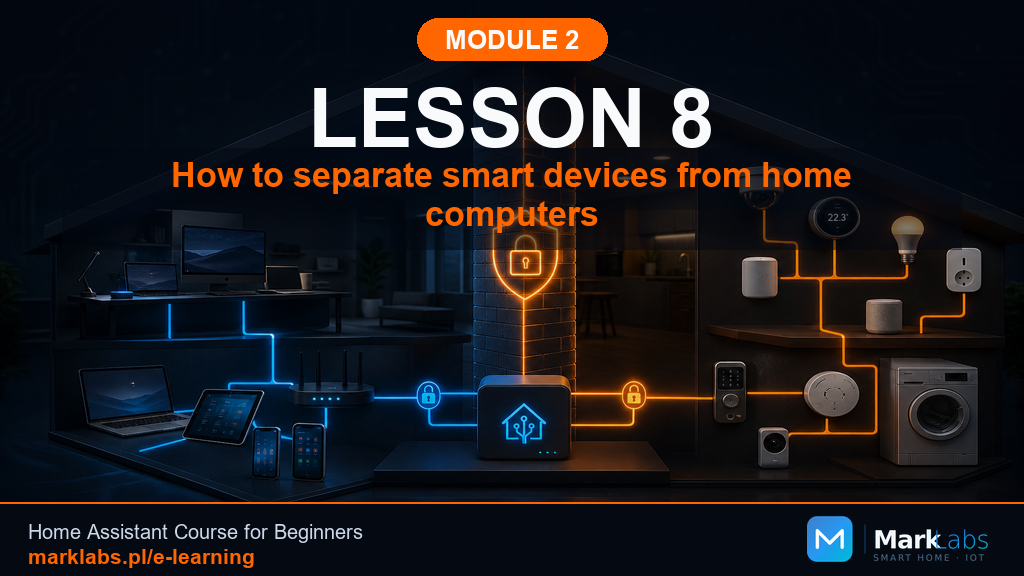
Separating Your Smart Devices From Your Everyday Computers
A single flat network, everything talking to everything, works fine for a handful of devices. Once you're running dozens of smart plugs, cameras, and sensors, a little bit of separation genuinely pays off, for security and for peace of mind. This lesson covers the simple version; Lesson 9 covers the more advanced VLAN approach for anyone who wants it.
Why separation is worth considering at all
Cheap smart devices have a genuinely mixed security track record. Some manufacturers patch vulnerabilities promptly, others abandon older models entirely. On a flat network, every device, including a five-dollar smart plug with a firmware nobody's touched in three years, can potentially reach your laptop, your NAS, and anything else you consider sensitive. Separation limits the blast radius if any one device turns out to be poorly secured, without requiring you to become a network security expert.
What "flat network" actually means
A flat network is simply one where every device can, in principle, directly reach every other device, no internal barriers at all. It's the default configuration of essentially every consumer router out of the box, and it's completely fine for most households. This lesson isn't telling you it's wrong, it's showing you a simple, low-effort way to add a layer of separation if you want one.
Three simple zones to start with
Trusted devices: your phone, laptop, and Home Assistant hub itself.
Smart devices: plugs, bulbs, sensors, cameras, everything Home Assistant will control.
Guests: visitors' phones and laptops, isolated by default on most routers already.
Your guest network: what it's actually for
Most consumer routers ship with a built-in guest network feature, a separate Wi-Fi name that isolates connected devices from your main network. It exists to let visitors use your internet without reaching your other devices, and it's already doing real work for you if you've enabled it, with zero additional setup required.
A separate Wi-Fi network for smart devices
Many routers let you create a second regular SSID (not the guest network) specifically for smart devices, keeping them logically separate from your everyday phones and laptops while still all sharing internet access. This is the simplest form of the separation this lesson describes, no additional hardware required, just a second network name and password in your existing router.
A second SSID doesn't always mean a separate network
Here's the important catch: on many consumer routers, a second SSID is just a different Wi-Fi name broadcasting the exact same underlying network, with no real isolation between the two. True separation requires the router to actually treat the second SSID as its own network segment, check your specific router's documentation, this varies significantly by manufacturer and model, and it's the single most common point of confusion in this entire lesson.
Client isolation: helpful and unhelpful in different places
Client isolation prevents devices on the same network from talking to each other directly, generally a good default on a guest network (guests shouldn't reach each other), but genuinely counterproductive on a smart device network, since smart devices frequently need to talk to each other and to Home Assistant. Enable it for guests, leave it off for your smart device network.
Where Home Assistant and your phone need to sit
If you do genuinely separate your smart devices onto their own network segment, Home Assistant itself needs to be able to reach both that segment and your trusted devices, and your phone (running the Home Assistant Companion App) needs to be able to reach Home Assistant. This is the exact reason simple separation, without proper routing between segments, can accidentally break things, worth planning carefully before flipping any switches.
What about Zigbee?
Zigbee devices don't join your Wi-Fi network at all, remember, they talk to their coordinator over their own radio protocol. Network segmentation in this lesson only applies to Wi-Fi-connected smart devices. Your Zigbee mesh is entirely unaffected by anything covered here.
What might stop working after segmentation
Casting to a smart TV or a Chromecast from your phone can break if the two devices end up on separate, non-communicating segments, since casting protocols rely on devices discovering each other locally. Some phone-to-device pairing flows for new smart devices also expect to be on the same network as the device during initial setup. If segmentation breaks something, it's usually one of these two culprits, not a sign that segmentation itself is a bad idea.
Cloud devices versus local devices behave differently
A cloud-dependent device reaches the internet and back regardless of what segment it's on, as long as it can reach your gateway, segmentation rarely breaks it. A locally-controlled device that Home Assistant talks to directly on your network is far more sensitive to segmentation choices, since it depends on Home Assistant being able to reach it directly, not through the internet. Know which type each of your devices is before assuming segmentation will or won't cause problems.
When this simple split is enough, and when it isn't
For most households, a well-configured guest network plus a genuine second SSID for smart devices is plenty. If you want stronger enforcement, actual traffic rules between segments, not just a different Wi-Fi name, that's a real VLAN, covered fully in the next lesson.
Testing changes without breaking your whole network
Change one thing at a time, and test it before changing the next. Set up a new SSID, confirm one test device pairs and works correctly on it, then migrate other devices gradually rather than all at once. If something breaks, you'll know exactly which change caused it.
What you can set up in your router today
Enable your guest network if it isn't already on. Check whether your router supports genuine multi-SSID segmentation, not just a second broadcast name. Confirm client isolation is on for guests and off for anything Home Assistant needs to reach.
What not to do
Don't migrate every device to a new segment in one sitting, you'll have no idea what broke if something does. Don't enable client isolation on the network your smart devices and Home Assistant share, they need to talk to each other. Don't assume your router's second SSID is truly isolated without checking its documentation first.
Is your segmentation plan ready?
You're ready to move on once you know whether your router supports genuine segmentation, you've decided whether you actually want to use it (it's optional, not required), and, if you do, you understand which devices need to reach which segments.
What this looks like for your mini smart home
For a starter kit of eight or so devices, a single flat network with a guest network enabled is entirely sufficient. Don't feel obligated to build out full segmentation for a handful of devices, revisit this once your kit genuinely grows.
Built-in "IoT protection" features on modern routers
Several mainstream router and mesh brands now ship a named feature specifically aimed at smart home isolation, often branded as something like "IoT network," "device isolation," or "smart home security," bundled into the same app you already use to manage the router. These are, in effect, pre-packaged versions of exactly what this lesson describes: a genuinely separate network segment for IoT devices, set up through a simplified interface rather than raw router settings. If your router or mesh system offers one of these features by name, it's usually the easiest path to real separation, worth checking for before assuming you need to build the equivalent manually.
A periodic device audit: knowing what's actually on your network
Separation only helps if you actually know what's connected in the first place. Every few months, a quick pass through your router's connected-device list, cross-checked against what you actually recognize owning, catches devices you've forgotten about, an old smart plug from a returned rental, a guest's device that never properly disconnected, or occasionally something you genuinely don't recognize and should investigate. This habit costs a few minutes and is one of the simplest, most effective security practices available to any household, segmented network or not.
Cloud dependency: why some devices "phone home" constantly
Many budget smart devices are cloud-first by design, they route even simple local commands through the manufacturer's servers rather than talking directly to Home Assistant or your phone on the local network. This has real implications worth understanding: these devices need internet access regardless of which network segment they're on, blocking their internet access to be extra cautious will simply break them entirely rather than making them safer. Local-control devices, the kind this course generally recommends when a choice is available, behave differently, they can often function with internet access blocked entirely, communicating with Home Assistant purely over your local network. Knowing which category a given device falls into changes what "more secure" actually looks like for it.
DNS-based blocking: a lighter-weight alternative worth knowing about
Some households take a different, lighter-weight approach to limiting what smart devices can do: a network-wide DNS filtering service or a self-hosted DNS blocklist that prevents devices from reaching known advertising, tracking, or unnecessary manufacturer telemetry domains, without needing full network segmentation at all. This isn't a replacement for the isolation covered in this lesson, a device can still reach other devices on the same segment regardless of DNS filtering, but it's a genuinely useful complementary layer, and considerably simpler to set up than VLANs for a household mainly concerned about unnecessary data collection rather than device-to-device attack risk specifically.
A worked example: setting up a second SSID step by step
In broad strokes, the process looks the same across most consumer routers: log into the router's admin interface, find the wireless or Wi-Fi settings section, look for an option to add an additional network or SSID (distinct from the guest network toggle), give it a distinct name and password, and check whether the interface offers an isolation or "separate network" toggle specifically, not just a cosmetic name difference. Save, then test with one known device before migrating anything important, confirming it gets an address on the new segment and, if you intended real isolation, genuinely cannot reach devices on your main network.
What separation doesn't protect against
It's worth being honest about the limits here: network separation protects against a compromised device being used as a stepping stone to attack other devices on your network, it does nothing to protect the device itself from being compromised in the first place, and it does nothing about a manufacturer's own servers being breached, exposing whatever data you've shared with that cloud service regardless of your home network's configuration. Segmentation is one layer of a broader security posture, not a substitute for the password hygiene, firmware updates, and vendor trustworthiness considerations covered fully in Module 8.
Renters and shared housing: a lighter version of this lesson
If you're renting equipment you don't own, or sharing a network with people outside this project, the guest network toggle alone, already built into essentially every router, delivers a meaningful chunk of this lesson's benefit with zero coordination overhead. A genuine second SSID for smart devices specifically is a nice-to-have on top of that, not a requirement, and it's completely reasonable to stop at "guest network enabled" if that's what your situation allows.
A simple mental model to carry forward
If nothing else from this lesson sticks, keep this one mental model: trusted devices you'd hand your house keys to, smart devices you'd hand a spare key that only opens the garage, and guests you'd hand a day pass that expires when they leave. Every decision in this lesson, from the guest network toggle to a genuinely separate SSID, is just a technical implementation of that same everyday intuition about trust levels, nothing more exotic than that.
A quick self-check before moving on
Before Lesson 9, confirm you can answer three questions about your own setup: is your guest network actually enabled, do you know whether your router's second SSID feature offers genuine isolation or just a different broadcast name, and have you decided, consciously rather than by default, whether Lesson 8's simple approach is enough for your household or whether Lesson 9's VLANs are worth the extra effort. There's no wrong answer here, the goal is simply an intentional, deliberate choice rather than an accidental one you never actually thought through.
A worked example: an eight-device starter kit, unsegmented
To make this concrete: a household running Module 1's starter kit, a handful of smart plugs, a motion sensor, a contact sensor, and a hub, all sitting on one flat network with the guest network enabled for visitors, is a completely reasonable, secure-enough setup. Nothing in this lesson is suggesting that household is doing something wrong or is somehow behind. The separation techniques here exist for the household that's grown well past a starter kit, not as a mandatory checkbox for every Home Assistant user regardless of scale.
A worked example: a fifty-device household, segmented
Contrast that with a household running dozens of smart devices across lighting, climate, cameras, and sensors: here, a genuine second SSID for IoT devices, with client isolation off so devices can coordinate with each other and with Home Assistant, plus the guest network kept fully separate with isolation on, meaningfully reduces the practical, real-world impact of any single device's security shortcomings. This is exactly the scale where Lesson 8's simple approach starts earning its keep, and where a reader might reasonably start seriously considering Lesson 9's fuller VLAN approach if their router and access points genuinely support it well enough.
Somewhere in between: a growing household
Most households actually sit somewhere between these two extremes, and that's exactly where this lesson's guidance matters most: reassess your approach periodically rather than deciding once and never revisiting it. A household that started with eight devices and a flat network, then grew to twenty-five over a couple of years, is a completely normal trajectory, and it's a perfectly reasonable point to circle back to this lesson and add a second SSID you didn't need on day one, revisiting a lesson you thought you'd already finished is a completely normal part of a smart home that keeps growing.
Documenting whatever you decide
Whichever level of separation you land on today, add a short note to your notebook alongside your other Module 2 entries: which SSIDs exist, what each one is meant to contain, and whether client isolation is on or off for each. It takes two minutes and turns a decision you made once, today, into a clear reference you can check months later instead of trying to reverse-engineer your own past reasoning from scratch.
A short recap before Lesson 9
In plain terms, this lesson boiled down to three moves: turn on the guest network you likely already have, decide whether a genuine second SSID for smart devices is worth the setup effort at your current device count, and keep client isolation on for guests but off for anything Home Assistant needs to talk to. Everything else in this lesson, the naming conventions, the cloud-versus-local distinctions, the periodic device audits, the DNS filtering option, was context and nuance around those three core decisions, useful to understand, genuinely worth revisiting later once your household's device count actually grows well beyond a starter kit, but not the core action items you need to walk away from this lesson with today.
Key takeaways
A flat network is fine for most households, separation is an option, not a requirement.
A second SSID isn't automatically a separate, isolated network, verify your router's actual behavior.
Client isolation helps for guests, hurts for smart devices that need to talk to each other.
Migrate devices gradually, one change at a time, so you can trace any breakage.
If this lesson's simple separation isn't enough for your household, Lesson 9 goes deeper into VLANs, real network segmentation with enforced traffic rules, and honestly assesses when you actually need them versus when you don't.