ZHA vs Zigbee2MQTT: Which Path Should You Choose
Your coordinator can run one of two genuinely different software integrations, ZHA or Zigbee2MQTT. This lesson compares them honestly, without ranking one as universally better, so you can choose the path that fits your household.
Two roads to the same coordinator
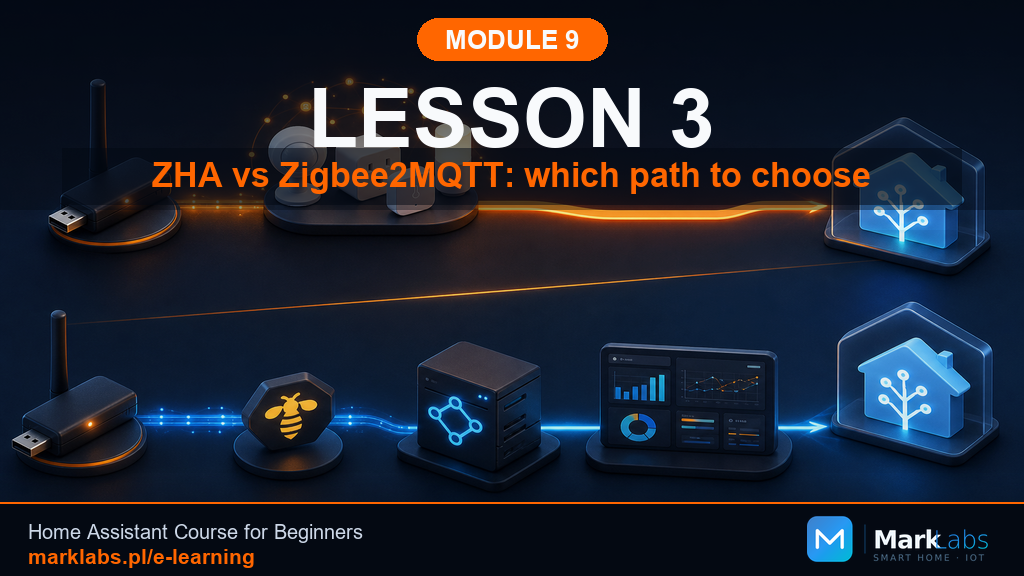
ZHA, Zigbee Home Automation, is a built-in Home Assistant integration, no separate add-on required, talking to your coordinator directly. Zigbee2MQTT is a separate add-on that talks to your coordinator on its own, then bridges everything into Home Assistant through MQTT, the same messaging system Module 6 introduced with Mosquitto. Both reach the identical destination, a working Zigbee network inside Home Assistant, just by two genuinely different routes with different tradeoffs worth understanding before you commit.
ZHA: who it's for and what it offers
ZHA is the simpler path to get running, no MQTT broker to configure, no separate add-on interface to learn, everything lives inside Home Assistant's own settings. It's the right choice for readers who want the fastest path from unboxing a coordinator to a working network, and who don't anticipate needing Zigbee2MQTT's more advanced, granular device configuration options covered later in this lesson.
Zigbee2MQTT: who it's for and what it offers
Zigbee2MQTT generally supports a wider range of devices faster, particularly newer or less mainstream ones, and offers a genuinely detailed web-based control panel, device-by-device diagnostics, and more granular per-device settings than ZHA's simpler interface provides. The tradeoff is more moving parts, Mosquitto from Module 6 needs to already be running, and there's a separate panel to learn alongside Home Assistant's own dashboard, a genuinely worthwhile tradeoff for readers who want maximum flexibility and don't mind a slightly steeper initial learning curve.
A human comparison, not a ranking
Neither path is objectively better, they're built for genuinely different priorities. ZHA prioritizes simplicity and tight Home Assistant integration. Zigbee2MQTT prioritizes device coverage and configuration depth. Both are actively maintained, both are used by large, genuinely happy communities of Home Assistant users, and both will comfortably support the three starter devices Lesson 6 walks through pairing. This lesson's goal is helping you pick the one that matches your own priorities, not steering you toward either one specifically.
Rule number one: never both on one coordinator
A single coordinator can only run one Zigbee software path at a time, ZHA or Zigbee2MQTT, never both simultaneously. Attempting to run both against the same coordinator causes genuine conflicts and unreliable behavior, this isn't a matter of preference, it's a hard technical constraint worth understanding clearly before Lesson 4 or 5 walks you through actual installation.
Can you switch paths later
Yes, though it means re-pairing every device, both paths store their own separate network data, and switching from one to the other effectively starts your Zigbee network over from scratch. This is genuinely doable, and some readers do switch after gaining more experience, but it's meaningfully more effort than getting the choice right the first time, exactly why this lesson takes the decision seriously rather than treating it as trivial.
The path this course takes
This course covers both paths in full, Lesson 4 for ZHA and Lesson 5 for Zigbee2MQTT, so pick whichever this lesson's comparison points you toward and follow that specific lesson, skipping the other. Every lesson after Lesson 5 is written to work with either path, using general Zigbee concepts rather than path-specific terminology wherever possible, so your choice here doesn't lock you out of anything the rest of this module covers.
Myths you'll hear online
"ZHA is only for beginners" isn't accurate, plenty of advanced, experienced users run ZHA happily for years without ever feeling limited. "Zigbee2MQTT is unstable" isn't accurate either, it's genuinely mature, widely used software, just with more configuration surface area than ZHA. Online forum debates between the two communities can feel more heated than the actual technical differences warrant, take strong opinions either direction with a grain of salt and trust this lesson's calmer, more balanced comparison instead.
Scenarios: who picks what
A reader who wants the fastest path to a working smart home and has fairly mainstream devices in mind: ZHA. A reader who's already comfortable with Mosquitto from Module 6 and wants maximum device compatibility and configuration depth: Zigbee2MQTT. A reader who's genuinely unsure: ZHA is the gentler, calmer starting point, and switching later, while extra work, remains entirely possible if your needs grow beyond it.
A table of tradeoffs
Setup complexity: ZHA simpler, Zigbee2MQTT more involved. Device coverage: ZHA good, Zigbee2MQTT broader. Configuration depth: ZHA basic, Zigbee2MQTT extensive. Extra infrastructure: ZHA none, Zigbee2MQTT needs Mosquitto. Interface: ZHA inside Home Assistant, Zigbee2MQTT has its own separate panel. Community size: both large and active. Weighing these six factors against your own household's actual needs is the whole exercise this lesson asks of you.
ZHA and Z2M in everyday use
Day to day, once set up, the difference between the two paths mostly disappears, your devices show up as entities in Home Assistant either way, your dashboards and automations from later modules work identically regardless of which path underlies them. The real difference lives in initial setup, covered next in Lessons 4 and 5, and in occasional troubleshooting, covered in Lesson 9, not in your daily experience actually using your smart home.
A decision tree in three questions
Do you want the absolute simplest setup with no extra add-ons? If yes, ZHA. Do you specifically need a device that ZHA doesn't yet support well? If yes, Zigbee2MQTT. Are you genuinely unsure and just want to get started today? ZHA, then revisit this lesson later if you ever hit its limits. Three simple questions, and most readers land on a clear, confident answer by the second one.
Exercise after this lesson
Walk through this lesson's three-question decision tree honestly, then write your choice, and a one-sentence reason for it, in your Zigbee notebook section. Move to Lesson 4 for ZHA or Lesson 5 for Zigbee2MQTT based on that answer, skipping the lesson for the path you didn't choose.
Smart home notebook: what to record today
Beyond your chosen path, note today's date, since this decision, while reversible, is easier to remember the reasoning behind if it's actually written down rather than relying on memory months from now. This is the same notebook discipline Module 6 and Module 8 have built throughout this course, and it pays off again here.
The calm path versus forum shortcuts
It's tempting to skip this lesson's reasoning entirely and just copy whatever a random forum post recommends, but that post's author doesn't know your specific devices, your comfort level, or your household's needs the way this lesson's decision tree, applied to your own situation, actually does. Trust the process here, it takes five extra minutes and saves a potential re-pairing headache down the line.
A real story: choosing based on one specific device
A reader in this course's community had already decided on ZHA, following this lesson's simpler default recommendation, until discovering a specific budget motion sensor they'd already bought wasn't yet well supported by ZHA's device database, while Zigbee2MQTT's broader compatibility list covered it without issue. Rather than returning the sensor or forcing an unsupported device into ZHA, they switched their plan to Zigbee2MQTT before pairing anything, following exactly the second question in this lesson's decision tree. Their honest reflection was that checking specific device compatibility before committing to a path, rather than after buying a cart full of devices, would have saved a return and a bit of frustration, exactly the kind of research this lesson's exercise now explicitly encourages before you buy anything at all.
Checking device compatibility before you buy
Both ZHA and Zigbee2MQTT maintain public, searchable device compatibility databases, worth checking for any specific device you're considering before adding it to your cart, particularly for anything beyond the three well-established starter devices Lesson 6 recommends. This takes a couple of minutes per device and avoids exactly the scenario the real story above described, discovering a compatibility gap only after the device has already arrived and you're ready to pair it.
Community size and getting help
Both ZHA and Zigbee2MQTT have large, active communities on the Home Assistant forums and beyond, meaning whichever path you choose, help is genuinely available when Lesson 9's troubleshooting guide doesn't fully resolve something on its own. Neither community is meaningfully harder to get help from than the other, a consideration that genuinely shouldn't weigh heavily in your decision here, both are well-supported enough that this factor essentially cancels out between the two options.
Resource usage: a minor consideration
Zigbee2MQTT, running as a separate add-on alongside Mosquitto, uses marginally more of your server's resources than ZHA's built-in integration, though for the mini PC hardware Module 5 recommended, this difference is genuinely negligible in practice, nowhere near enough to be a deciding factor on its own. It's worth mentioning only for completeness, not because it should meaningfully sway your decision away from whichever path otherwise fits your priorities better based on the rest of this lesson.
What happens to your entities either way
Regardless of which path you choose, every paired device shows up in Home Assistant as one or more entities, following the exact same device and entity model Module 6 introduced back in Lesson 1, a temperature sensor exposes a temperature entity, a smart plug exposes a switch entity, and so on. This means everything you already know about naming, areas, and organization from Module 6 applies identically to Zigbee devices regardless of the software path underneath them, one more reason this lesson's decision genuinely doesn't lock you into a fundamentally different way of working with your smart home going forward.
If you're already running Mosquitto
If you already installed Mosquitto back in Module 6 for another purpose, ESPHome devices or a different MQTT-based integration, Zigbee2MQTT becomes a slightly more natural fit, it simply plugs into infrastructure you've already set up and are already comfortable managing, rather than asking you to configure something entirely new specifically for this module. This is a genuinely reasonable tiebreaker if the rest of this lesson's comparison left you feeling roughly evenly split between the two paths.
Revisiting this decision as your needs change
The path you choose today isn't a lifetime commitment, even though switching later means re-pairing devices as this lesson already explained. A household that starts with ZHA for simplicity might switch to Zigbee2MQTT years later once a specific unsupported device or a desire for deeper configuration genuinely calls for it. Treat this decision the way this course has treated most decisions so far, a reasonable, informed choice for today, made calmly with the information available right now, not a permanent, irreversible fork in the road that needs to be agonized over.
One more honest note before you decide
If you've read this entire lesson and still feel torn, that's a completely normal reaction to a genuinely close call between two well-built pieces of software, not a sign you're missing some obvious right answer. Flip a mental coin if it comes to that, ZHA if you'd rather start simple, Zigbee2MQTT if broader compatibility appeals to you more, and move forward with Lesson 4 or 5 confidently, this course's remaining Zigbee content works equally well either way, and your actual experience living with a working smart home matters far more than which specific path got you there.
Key takeaways
ZHA is simpler to set up, Zigbee2MQTT offers broader device coverage and depth.
Never run both on the same coordinator, it's a hard technical constraint.
Switching later is possible but means re-pairing every device from scratch.
Neither path is objectively better, pick based on your own household's priorities.
If you chose ZHA, Lesson 4 walks through installation step by step, carefully, so nothing feels rushed. If you chose Zigbee2MQTT, skip ahead to Lesson 5, which covers the add-on and Mosquitto configuration in the same unhurried detail. Either way, take a moment now to genuinely commit to your choice before moving on, second-guessing it mid-installation tends to cause more confusion than simply trusting the decision you just made and following the relevant lesson through to the end, calmly, one step at a time, exactly as this course has approached every earlier decision.
