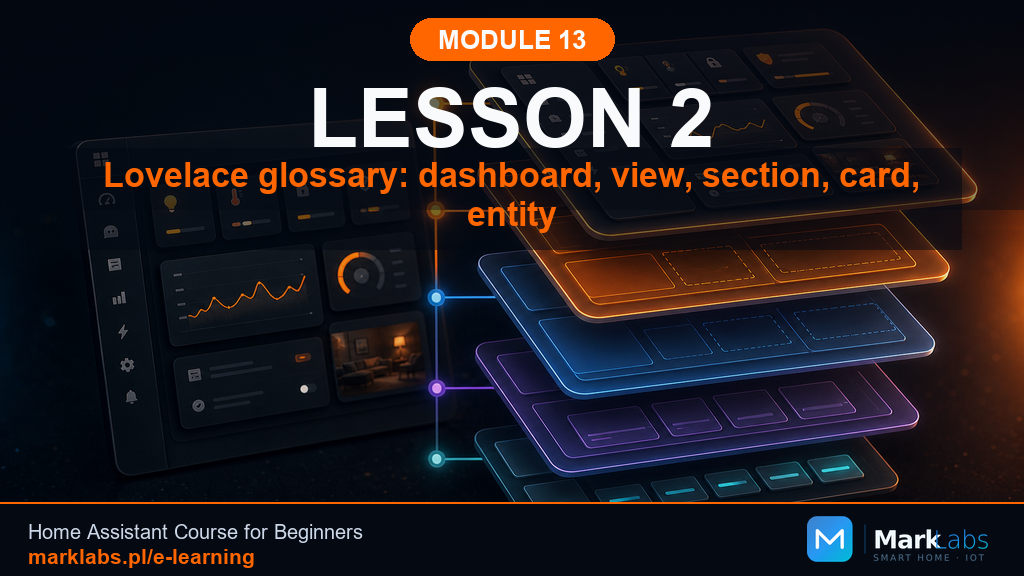
Lovelace Vocabulary: Dashboard, View, Section, Card, Entity
Lovelace is the genuine name for Home Assistant's entire dashboard system, and like any system worth using well, it comes with its own small vocabulary. This lesson defines five words precisely, dashboard, view, section, card, and entity, so every remaining lesson in this module can speak about screens and layouts without any ambiguity at all.
Lovelace vocabulary, from general to specific
A dashboard is genuinely the outermost container, the whole thing you open from Home Assistant's sidebar, and it holds one or more views, reachable as tabs across the top of the screen. Each view holds one or more sections, a section holds one or more cards, and a card is finally where individual entities actually appear, a light's toggle, a sensor's reading, a script's button. Reading top to bottom, dashboard contains views, views contain sections, sections contain cards, and cards display entities, that single nested chain is genuinely the entire vocabulary this module needs from here forward, and every future lesson will use these five words precisely and consistently rather than loosely.
Device, entity, and card: three genuinely different things
A device is the physical thing, an ESP32 board, a Zigbee smart plug, one piece of hardware sitting somewhere in your home exactly as Modules 9 and 10 built it. An entity is the software representation Home Assistant creates from that device, often several entities per single device, a temperature sensor entity and a humidity sensor entity both coming from one physical Zigbee sensor. A card is neither of those things at all, it's purely a dashboard-layer container that chooses how to display one or more entities visually, meaning the exact same entity can appear inside a tile card here and an entities-list card there without the underlying device or entity changing in the slightest.
UI or YAML: where to genuinely start
Home Assistant's visual dashboard editor lets you add views, sections, and cards entirely by clicking, dragging, and picking from menus, with genuinely zero YAML required at any point. Every card and view can also be edited directly in YAML instead, and switching between the two is trivial, a small toggle in the editor's corner. This course leans on the UI editor throughout Module 13, exactly as it did with automations back in Module 11, but shows a YAML equivalent in most lessons too, since reading YAML confidently makes troubleshooting considerably faster once a dashboard grows past a handful of simple cards.
Step by step: a Home dashboard with four views
Open Settings, Dashboards, and create a new dashboard named Home, giving it a clear icon distinct from Home Assistant's own default overview. Add four views to it, Start, Office, Climate, and Diagnostics, each with its own short, clear name and icon, genuinely mirroring the three-audience structure from the previous lesson with one extra view carved out specifically for the room this course has been building around since Module 9. Leave every view empty for now, this lesson's whole point is establishing the skeleton correctly, later lessons fill each view in deliberately, one at a time, rather than rushing straight to cards before the overall structure is settled.
A YAML example: the same structure in text form
Switching this same dashboard to YAML mode reveals a title, a views list, and four view entries, each with its own title, path, and icon, and an empty cards list waiting inside each one. Seeing the exact structure just built through clicking now rendered as plain, readable text is genuinely reassuring, it confirms nothing mysterious happens underneath the visual editor, every view and card you'll ever add through this whole module could equally be typed by hand in exactly this same format.
What can genuinely go wrong
The most common early mistake is confusing a device with its entities, assuming that adding "the Zigbee sensor" to a card is one single step, when in fact you're choosing among several separate entities that one device happens to expose. Take a moment with any unfamiliar device to check its entities list under Settings, Devices, before assuming which one belongs on which card, this small habit prevents a surprising amount of confusion later in this module.
An exercise: a Home dashboard ready for planning
Build the four-view Home dashboard exactly as described above, and write each view's name and its intended audience, Start for the household, Office for the room-specific pattern, Climate for a specialized topic, Diagnostics for Module 12's schema, directly into your notebook alongside it. Having this skeleton and its intentions both recorded before a single card exists is precisely the discipline the next lesson builds on when it asks you to plan every card's placement deliberately.
Why sections matter, not just views and cards
It's genuinely easy to skip past sections mentally and think of a view as simply "a list of cards," but the Sections view type this module leans on throughout treats sections as real, meaningful groupings with their own heading and their own visual boundary. A well-planned view might have a Climate section, a Lighting section, and a Diagnostics section sitting side by side, each one instantly recognizable, rather than a single undifferentiated wall of cards that a household member has to scan through entirely to find the one thing they're actually looking for. Treating sections as genuinely meaningful groups, not just a technical container, is part of what separates a calm dashboard from a cluttered one.
Entity IDs versus friendly names, a preview
Every entity genuinely has two names worth knowing, a technical entity_id like switch.led_status_hallway used internally and in YAML, and a friendly name like "Hallway LED" that's what actually appears on cards by default. This module's vocabulary lesson is a genuinely good moment to notice that distinction exists at all, even though a full lesson on naming discipline, when to change one, when to leave the other alone, is still a few lessons away yet. For now, simply recognize that whenever this course writes an entity_id in a code example, that's the technical, permanent identifier, not necessarily what a household member will ever actually read on screen.
Why this course keeps returning to the same five entities
Nearly every dashboard example across this entire module reuses the same familiar handful of entities, the hallway LED, the office temperature sensor, timer.hallway_off, input_boolean.test_mode_hallway, and scene.movie_night, rather than inventing new ones for every single lesson. This is genuinely deliberate, you already know exactly what each of these entities does and why, from Modules 11 and 12, so every dashboard lesson can focus entirely on the dashboard-layer decision, which card, which view, which audience, without also having to reintroduce unfamiliar underlying logic at the same time.
A closing thought on vocabulary as a genuine foundation
It might feel like a small thing to spend an entire lesson on five words, dashboard, view, section, card, entity, rather than jumping straight into building something visible, but every single lesson still ahead in this module leans on these words meaning exactly one thing each. When a later lesson says "add this entity to a tile card inside the Climate section of the Office view," that sentence should now read as a precise, unambiguous instruction rather than a string of loosely related terms, and that precision is genuinely the entire point of this lesson existing at all, small as five words might genuinely seem on their own.
One more distinction: badges versus cards
Lovelace also supports a genuinely smaller display element called a badge, a compact indicator sitting above a view's cards rather than inside one, typically used for a single at-a-glance value like an outdoor temperature or an alarm state. Badges won't feature heavily across this module's lessons, but it's worth knowing the word exists distinctly from a card, since some entities genuinely suit that tiny always-visible treatment better than a full card ever could, and later lessons will occasionally point back to this exact distinction when discussing what belongs at the very top of a view.
Key takeaways
Dashboard, view, section, card, entity: a strict nested chain, each word means one specific, unambiguous thing.
A device, its entities, and the cards showing them are three genuinely separate things, don't conflate them.
The UI editor and YAML produce the exact same underlying structure, switching between them is trivial and safe.
Build the skeleton, four views with clear names and intentions, before adding a single card to any of them.
What's next
With shared vocabulary and an empty four-view skeleton in place, the next lesson builds a genuine plan, classifying every entity and deciding exactly which view, section, and card each one deserves before a single card gets added.
