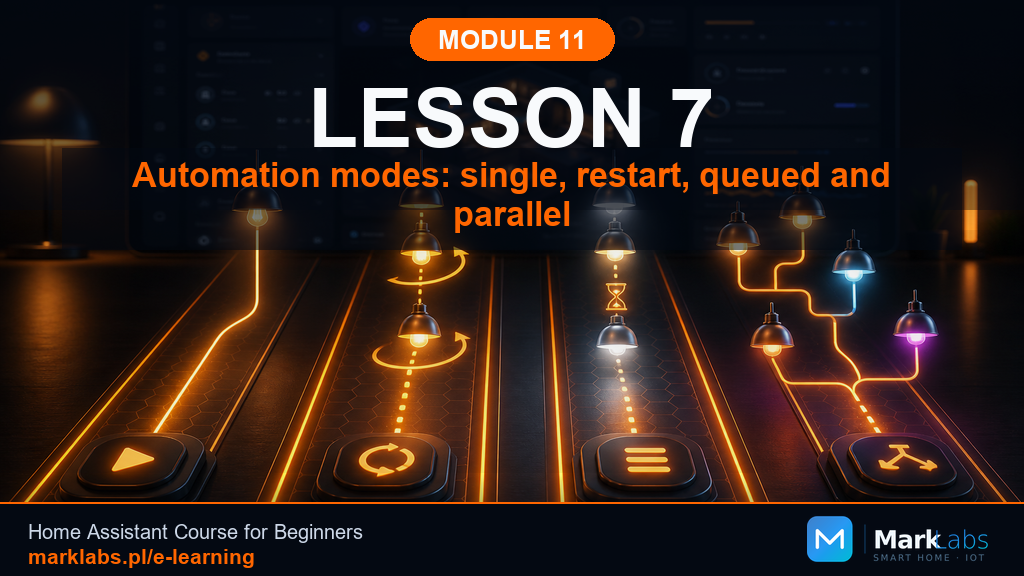
Automation Modes: Single, Restart, Queued, and Parallel
Every automation built so far has assumed it only ever runs once at a time. Real motion sensors, real buttons, and real people rarely cooperate with that assumption, and this lesson finally explains the setting that quietly decides what genuinely happens when an automation gets triggered again while it's still busy running.
A concrete example: motion, an LED, and a 30-second delay
Picture a hallway automation, motion turns an LED on, then waits 30 seconds before turning it back off. Now picture someone walking through that hallway twice within those 30 seconds. What genuinely should happen the second time, restart the wait, ignore it entirely, queue it up, or run a second copy alongside the first? Home Assistant's automation mode setting is exactly what answers that question, and until you actually set it deliberately, you're relying on a default you may not have chosen on purpose.
Where to set the mode in Home Assistant
Open any automation in the visual editor, then look in the three-dot menu in the top-right corner for an option genuinely labeled "Edit in YAML." Near the very top of that YAML, alongside the trigger, condition, and action keys, add a mode key set to one of four values, single, restart, queued, or parallel. If that key is missing entirely, Home Assistant quietly assumes single, which is not always the safest or most sensible assumption to make on your behalf.
single: ignores repeat triggers mid-run
This is Home Assistant's default mode, and it means exactly what it sounds like, while the automation is already running, any additional trigger during that run is simply ignored entirely. For the hallway example, a second motion event during the 30-second wait changes nothing, the LED still turns off right on schedule as if that second walk-through never genuinely happened at all.
restart: often the best fit for motion and delays
In restart mode, a new trigger stops the current run entirely and starts a genuinely fresh one from the very top. For the hallway light, that means each new motion event resets the 30-second wait back to its full length, so as long as someone keeps moving through the hallway, the light quite sensibly stays on the whole time, only counting down once movement truly stops.
queued: waits its turn instead of resetting
Queued mode lets a new trigger wait patiently in line rather than being ignored or restarting anything, it runs only once the current execution has genuinely finished, in the exact order the triggers originally arrived. This suits situations where every single trigger truly matters and none should ever be quietly dropped, though it can occasionally build up a noticeable backlog if triggers arrive considerably faster than each run can complete.
parallel: powerful, but genuinely advanced
Parallel mode lets multiple copies of the same automation run entirely independently and simultaneously, each with its own separate wait timer and its own separate state. That independence sounds appealing, but it's genuinely risky specifically when delays are involved, since several overlapping copies can end up fighting over the same light or plug, each one convinced it alone should decide the final outcome. Reserve parallel mode for automations you deeply understand, not as a first choice while you're still learning.
Why 30 seconds, specifically, in this example
Thirty seconds is genuinely long enough to walk the length of a typical hallway without the light cutting out mid-stride, yet short enough that an empty hallway doesn't stay needlessly lit for minutes after someone has already left. This module's earlier lessons used the same 30-second figure deliberately and consistently so this lesson's restart-mode comparison would feel immediately familiar rather than introducing a brand new number to reason about on top of everything else.
A side-by-side comparison
single ignores anything new while busy. restart drops the current run and genuinely starts over fresh. queued lines new triggers up and runs each one faithfully in turn. parallel runs every trigger simultaneously, independently, and without waiting for anything else. Reading these four descriptions side by side, in exactly this order, tends to make the differences click considerably faster than reading any single definition in complete isolation.
Matching a scenario to the right mode
A hallway light with a delay genuinely wants restart. A doorbell notification, where every single ring matters and none should ever be silently dropped, genuinely wants queued. A one-off reminder that only needs to fire once and never again mid-run is perfectly happy with the default single. Parallel, meanwhile, is best reserved for genuinely independent tasks, such as several unrelated sensors each separately triggering their own unrelated notification.
The one mode genuinely worth memorizing first
If you remember only one thing from this entire lesson, remember that restart is very often the right choice whenever motion and a delay appear together in the same automation, which happens to be one of the single most common automation patterns in any smart home. Reach for single as a safe, sensible default everywhere else, and hold off on queued and parallel until a specific, well-understood situation genuinely calls for either one.
What can genuinely go wrong
The single most common mistake is leaving every automation on its default single mode and then feeling genuinely confused when a light seems to "randomly" turn off early during busy periods of continuous motion. A close second is reaching for parallel mode too eagerly, assuming more simultaneous copies must obviously be better, only to discover several copies quietly fighting over the exact same entity's final state.
A hands-on exercise for this lesson
Open your Module 11 hallway automation from earlier lessons and check its current mode in the YAML editor. If it's genuinely missing, add mode: restart, then test it deliberately by triggering motion twice in quick succession and confirming the light stays on continuously the whole time rather than cutting out between the two triggers. Write down in your notebook exactly which mode you chose and, just as importantly, why you chose it.
Documenting mode choices going forward
Add a mode column to whatever automation table you've been keeping in your notebook since earlier lessons in this module. A future version of you, troubleshooting some unexpected behavior six months from now, will genuinely thank the version of you writing today for recording not just what each automation does, but exactly how it behaves when triggered again mid-run.
The queue length problem, and how to notice it
A queued automation that receives triggers faster than each run can genuinely finish will quietly build up a backlog, executions that were once immediate can end up running minutes, or in extreme cases considerably longer, after the event that originally caused them. Home Assistant's trace view, covered properly in a later lesson, shows exactly when each queued run actually started versus when its trigger genuinely fired, which is the clearest way to notice this kind of drift before it becomes a genuinely confusing mystery.
Setting a max for queued and parallel modes
Both queued and parallel modes accept an optional max value, written directly beside the mode key, that caps exactly how many runs can genuinely be queued or running simultaneously before additional triggers are quietly dropped rather than piling up indefinitely. Setting a sensible max, something like three or four for most household automations, is a genuinely cheap safeguard against a misbehaving sensor flooding an automation with far more triggers than it was ever reasonably designed to absorb.
Why single sometimes surprises new users
Because single is the silent default, many people build their very first automations without ever consciously choosing a mode at all, and then feel genuinely puzzled the first time repeated triggers appear to vanish into thin air. That reaction is completely reasonable, single's ignore-while-busy behavior is invisible until an automation actually overlaps with itself, which for a simple one-shot reminder might never happen, and for a hallway light with any meaningful delay happens almost immediately.
Testing restart mode properly, step by step
Set your hallway automation's mode to restart, trigger motion once, wait roughly fifteen seconds, then trigger motion again before the first thirty-second window has genuinely elapsed. Watch the entity's logbook entry carefully, a correctly restarting automation shows the light staying continuously on throughout, with the final turn-off landing a full thirty seconds after the second trigger rather than the first. If the light instead cuts out partway through, the mode almost certainly wasn't set the way you intended.
A quick note on notifications and queued mode
Notification automations are a genuinely natural fit for queued mode precisely because losing a notification silently feels considerably worse than receiving one slightly late. A doorbell that rings three times in quick succession should, in most genuinely reasonable households, still produce three separate notifications delivered one after another, rather than two of them being quietly swallowed because the phone's notification automation was still busy handling the first.
Parallel mode's one genuinely good use case
Parallel mode earns its keep specifically when one single automation definition is genuinely shared across several unrelated entities, a motion-activated light script triggered by five entirely separate hallway sensors, for instance, where each sensor's motion event truly deserves its own fully independent run rather than competing with the others. Even here, though, pairing parallel with a sensible max value keeps one unusually chatty sensor from monopolizing the automation entirely.
Modes and scripts are genuinely the same concept
Home Assistant scripts, introduced properly in a future module, accept the exact same mode key with the exact same four values, which means everything genuinely learned in this lesson transfers directly rather than needing to be relearned later. Recognizing that automations and scripts share this one concept in common is a small but genuinely satisfying moment of the platform's underlying consistency showing through.
A short recap before moving on
Four modes, four genuinely different personalities. single quietly ignores anything new while it's busy. restart drops whatever's running and confidently begins again from scratch. queued patiently lines every trigger up and works faithfully through them one at a time. parallel lets several independent copies run side by side at once, powerful but genuinely demanding real care and a clear max value to stay safe. None of the four is universally correct, the right choice always depends entirely on what a specific automation is actually meant to accomplish, and on how it should genuinely behave the moment life doesn't cooperate with a single, tidy trigger.
Key takeaways
The mode key controls what genuinely happens when an automation is triggered again while still running, and it defaults quietly to single if you never set it yourself.
restart is very often the right fit whenever motion and a delay appear together, letting continuous movement keep a light on without it cutting out early.
queued lines up every trigger so none are ever dropped, while parallel runs true simultaneous copies and is genuinely best left to advanced, well-understood cases.
Set mode deliberately in the YAML editor, test the actual behavior with real repeated triggers, and record your choice and reasoning in your notebook.
What's next
Modes govern what happens when triggers repeat, but delays, timers, and loops inside a single automation carry their own separate set of surprises, ones capable of producing what genuinely looks like outright chaos if left unexamined. The next lesson pulls that chaos apart piece by piece, carefully and deliberately, exactly the way this module has approached every topic so far.
